

How to Submit a Claim in Simple Practice
Last Updated on: March 10, 2026
Reviewed by Kyle Wilson
- Licensed Agent
- @ verimedix

Submitting insurance claims correctly is essential for healthcare providers who want to ensure accurate billing and timely reimbursements. Simple Practice is a widely used practice management platform that helps therapists and healthcare providers manage appointments, documentation, and insurance billing efficiently.
Understanding how to submit a claim in Simple Practice can help reduce claim denials, improve billing accuracy, and accelerate reimbursements. In this guide, we explain the complete claim submission process along with best practices to optimize your revenue cycle management.
Get Free Quotes
Customized Options Await
What is Simple Practice Billing?
Simple Practice is a cloud-based healthcare software designed to help providers manage patient records, scheduling, telehealth, and insurance billing. It simplifies the process of generating and submitting claims to insurance companies.
The platform allows providers to create electronic claims, verify insurance details, track payments, and manage denied claims. With automated workflows, healthcare professionals can reduce administrative work and focus more on patient care.
Steps to Submit a Claim in SimplePractice
Submitting a claim in Simple Practice involves a few important steps. Following the correct process ensures accurate claim submission and faster reimbursement.
1. Create a Client Profile
Before submitting a claim, providers must create a client profile within SimplePractice.
Important details include:
- Patient name and contact information
- Insurance provider details
- Policy number and group ID
- Date of birth and patient demographics
Accurate information at this stage prevents claim rejections and billing delays.
2. Verify Insurance Eligibility
Insurance verification is a critical step before submitting any claim. Providers should confirm that the patient’s insurance coverage is active and that the services are covered.
Verification helps providers understand:
- Coverage limitations
- Co-payments or deductibles
- Authorization requirements
This step reduces the chances of claim denials and improves billing efficiency.
3. Add the Service and CPT Code
After verifying insurance, providers must document the services performed during the session. Each service must be linked with the correct CPT code and diagnosis code.
Accurate coding is essential because insurance companies use these codes to determine reimbursement eligibility. Incorrect codes can lead to claim rejection or delayed payments.
4. Create the Insurance Claim
Once the session details are recorded, the next step is to generate the insurance claim within the Simple Practice billing section.
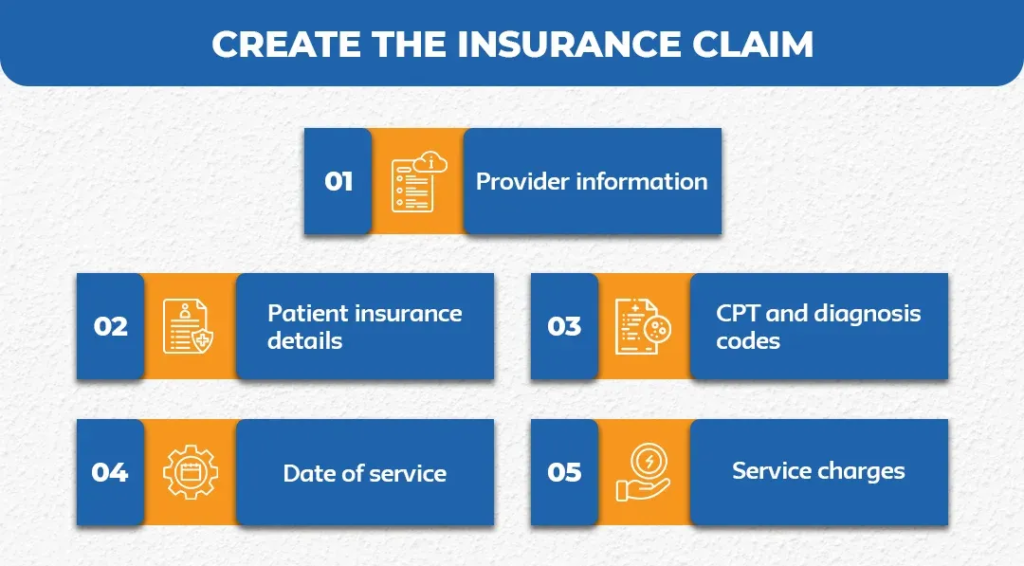
The claim typically includes:
- Provider information
- Patient insurance details
- CPT and diagnosis codes
- Date of service
- Service charges
Carefully reviewing this information ensures that the claim is complete and accurate before submission.
5. Submit the Claim Electronically
Simple Practice allows providers to submit electronic claims directly to insurance companies through clearinghouses.
Electronic submission offers several advantages:
- Faster processing
- Reduced paperwork
- Fewer manual errors
- Quick status tracking
Most claims are processed faster when submitted electronically compared to paper claims.
6. Track Claim Status
After submitting a claim, providers can monitor its status within the Simple Practice dashboard. Tracking claims helps identify whether the claim has been accepted, rejected, or is still pending.
Regular monitoring allows providers to quickly resolve issues such as missing documentation or coding errors.
7. Manage Claim Denials
Even with proper billing procedures, some claims may be denied by insurance providers. Simple Practice allows providers to review denied claims and correct errors before resubmitting them.
Common denial reasons include incorrect codes, incomplete patient information, or expired insurance coverage. Addressing these issues quickly helps prevent revenue loss.
Simple Practice Claim Submission Workflow
Step | Process | Purpose |
Client Registration | Enter patient information and insurance details | Prevent claim errors |
Insurance Verification | Confirm coverage and eligibility | Reduce claim denials |
Service Documentation | Add CPT and diagnosis codes | Ensure billing accuracy |
Claim Creation | Generate insurance claim | Prepare claim for submission |
Electronic Submission | Send claim to clearinghouse | Faster claim processing |
Claim Tracking | Monitor claim progress | Identify billing issues |
Denial Management | Correct and resubmit claims | Recover lost revenue |
Benefits of Submitting Claims in SimplePractice
Using Simple Practice for medical billing provides multiple benefits for healthcare providers and clinics.
Key Benefits
- Automated claim generation
- Faster insurance reimbursement
- Reduced administrative workload
- Real-time claim tracking
- Improved billing accuracy
These advantages help practices maintain financial stability while improving operational efficiency.
Common Claim Errors to Avoid
Healthcare providers should avoid common billing mistakes that lead to claim denials.
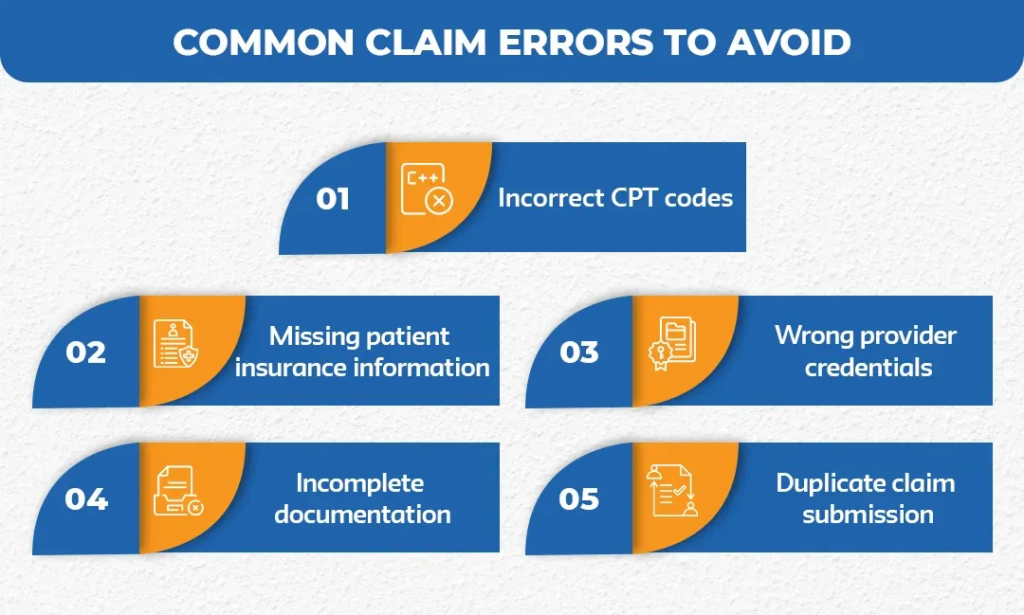
Some frequent errors include:
- Incorrect CPT codes
- Missing patient insurance information
- Wrong provider credentials
- Incomplete documentation
- Duplicate claim submission
Preventing these issues helps ensure smoother claim processing and faster payments.
Conclusion
Submitting claims correctly in Simple Practice is essential for maintaining a smooth medical billing process. By following the proper steps such as verifying insurance, adding accurate CPT codes, and submitting electronic claims, healthcare providers can reduce errors and improve reimbursement rates.
Efficient claim management also strengthens revenue cycle performance and ensures that healthcare organizations maintain stable financial operations while focusing on delivering high-quality patient care.
Ready to Optimize Your Medical Billing?
Partner with Vermedix to streamline your medical billing and revenue cycle management. Our expert team helps healthcare providers reduce claim denials, accelerate reimbursements, and improve financial performance.
Contact Vermedix today to simplify your billing workflow and maximize your healthcare revenue.
FAQs
To make a claim, submit a completed claim form with service details, CPT codes, and provider information to your insurance company either electronically or through a billing platform like SimplePractice.
A simple claim includes patient information, provider details, diagnosis codes, procedure codes, service date, and billing charges submitted to the insurance provider.
The main steps include patient registration, insurance verification, claim creation with proper coding, and claim submission to the insurance company.
Simple Practice typically uses the CMS-1500 claim form, which is the standard form used for professional healthcare service billing in the United States.
THE AUTHOR
Shawn Davis is a leading expert in medical administration and revenue optimization. For years, Shown has been driving outstanding financial outcomes for healthcare providers through Denial Management, Eligibility Verification, Medical Billing and Coding, and Revenue Cycle Management. He is dedicated to helping practices streamline their operations and maximize their reimbursements through precision-driven digital solutions.